Defining a vision for growth
Food shopping can be stressful and potentially dangerous for people with allergies, dietary restrictions, and disabilities. Ingredient labels are often small, cluttered, and written in scientific language, making it difficult for users to quickly identify harmful ingredients, especially under time pressure or with visual impairments. Existing tools often lack personalization and accessibility, forcing users to manually interpret complex information. There is a clear need for an accessible, fast, and personalized solution that helps users understand food safety at a glance and make confident decisions while shopping.
Qualitative & Quantitative Research
To gain a clear understanding of user needs, I conducted a mixed-methods research approach combining qualitative interviews, quantitative surveys, and literature research. This allowed me to balance real user experiences with measurable insights and established best practices.
Qualitative Research
I conducted 10 in-depth user interviews with participants who had diverse needs, including:
Severe food allergies
Celiac disease
Visual impairments
Participants shared detailed accounts of their challenges reading ingredient labels, understanding allergen information, and making safe decisions under time pressure.
Quantitative Research
A survey of 150+ respondents revealed clear priorities:
50% prioritized fast, reliable product scanning
30% valued clear, plain-language ingredient explanations
20% needed personalized safety alerts
These findings reinforced the importance of speed, clarity, and personalization.
Literature Research (White Paper Research)
I reviewed studies on:
Accessibility and inclusive design
Food labeling regulations
Consumer decision-making in retail environments
This research helped validate user feedback and ensured the design aligned with accessibility and industry best practices.
Key Research Takeaways
Scanning should be the primary interaction
Information must be immediate and easy to understand
Personalization is essential for safety and trust
Accessibility must be built into the core experience
These insights directly informed NutriGuide’s UX strategy and design decisions.
Ideation & Design
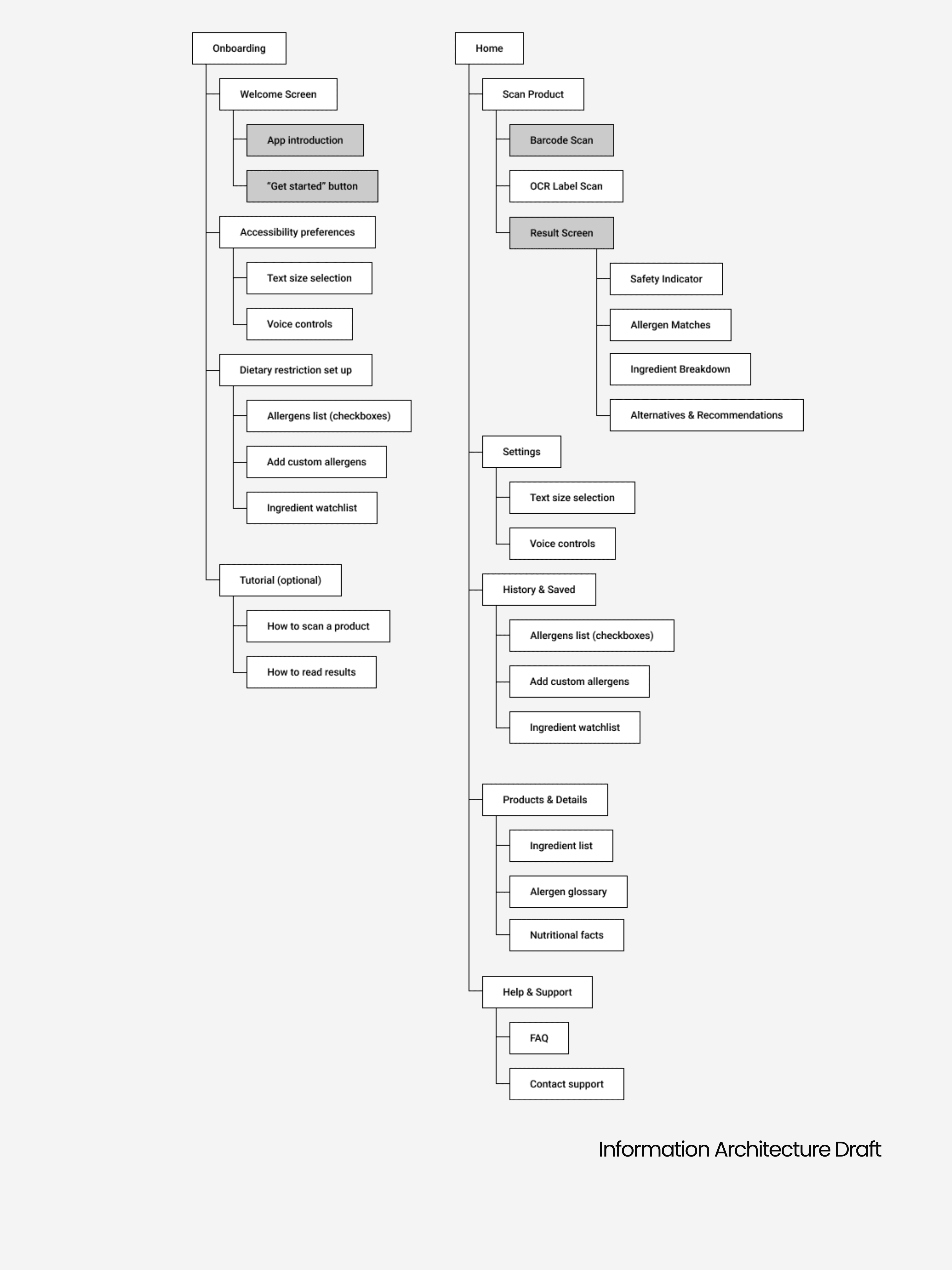
The information architecture for NutriGuide was designed to minimize the number of steps between scanning a product and receiving a clear, personalized result. Because users often shop under time pressure or stress, the structure prioritizes speed, clarity, and accessibility while reducing cognitive load.
User flows were mapped based on research insights and persona needs, resulting in a streamlined hierarchy:
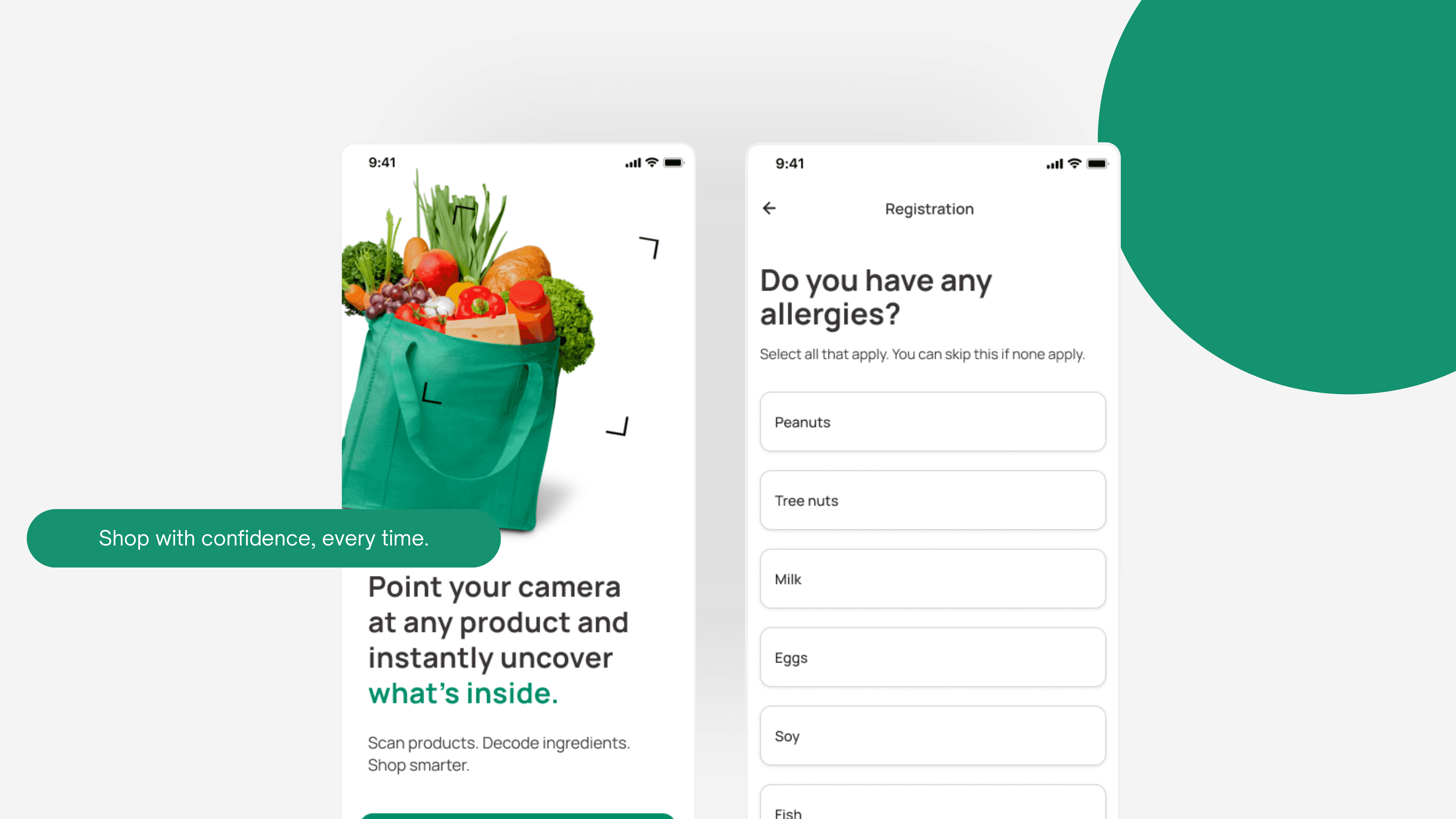
Onboarding & Preferences
Product Scan (Primary Entry Point)
Instant Risk Assessment
Ingredient Details
Suggested Alternatives
This structure ensures users can determine product safety in just a few taps.
Different personas influenced how information was prioritized:
Parents managing allergies required a direct Scan → Result pathway with minimal interruption.
Low-vision users benefited from reduced screen clutter, clear visual hierarchy, and logical focus order for assistive technologies.
Health-conscious professionals and students needed quick access to editable preferences without disrupting their shopping flow.
Secondary pages were designed to support the core flow without adding complexity:
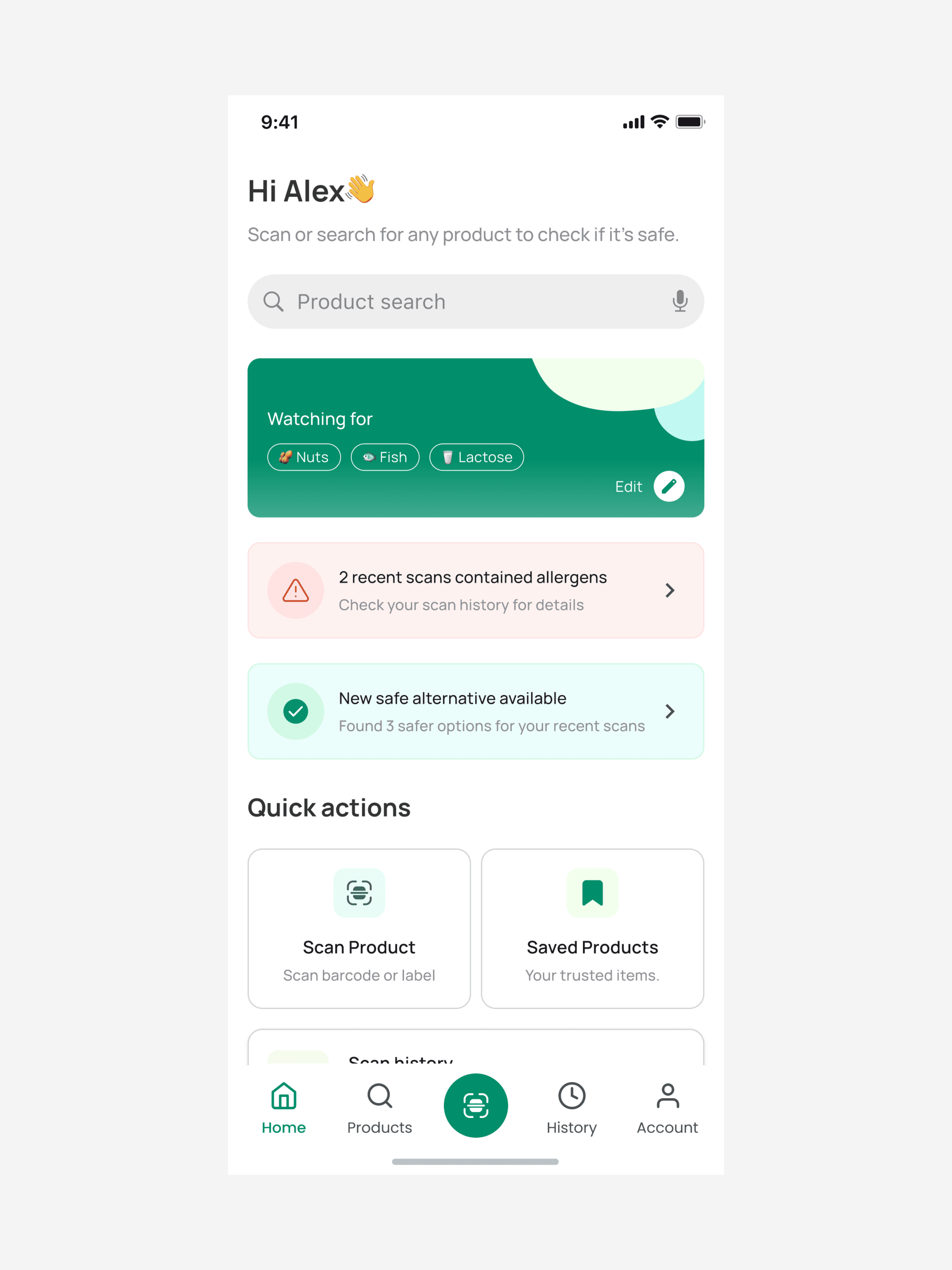
Product Search as an alternative to scanning
Saved Products to reduce repeat decision-making
Scan History for quick reference
Settings as a centralized, easily accessible control hub
This information architecture supports fast decision-making, intuitive navigation, and inclusive usability. By keeping critical actions and information front and center, NutriGuide enables users to shop safely and confidently while maintaining a calm, accessible experience.
User Testing & Iteration
Testing focused on ensuring NutriGuide was fast, clear, and accessible in real shopping scenarios. I conducted iterative usability testing throughout the design process, using low- and mid-fidelity prototypes to validate core flows and interface decisions.
Usability Testing
I tested key tasks with users from the target audience, including:
Setting health and dietary preferences
Scanning a product and interpreting results
Identifying unsafe ingredients
Editing preferences in settings
Participants were asked to think aloud while completing tasks, allowing me to identify friction points, confusion, and accessibility issues.
Key Findings & Iterations
Testing revealed several important insights:
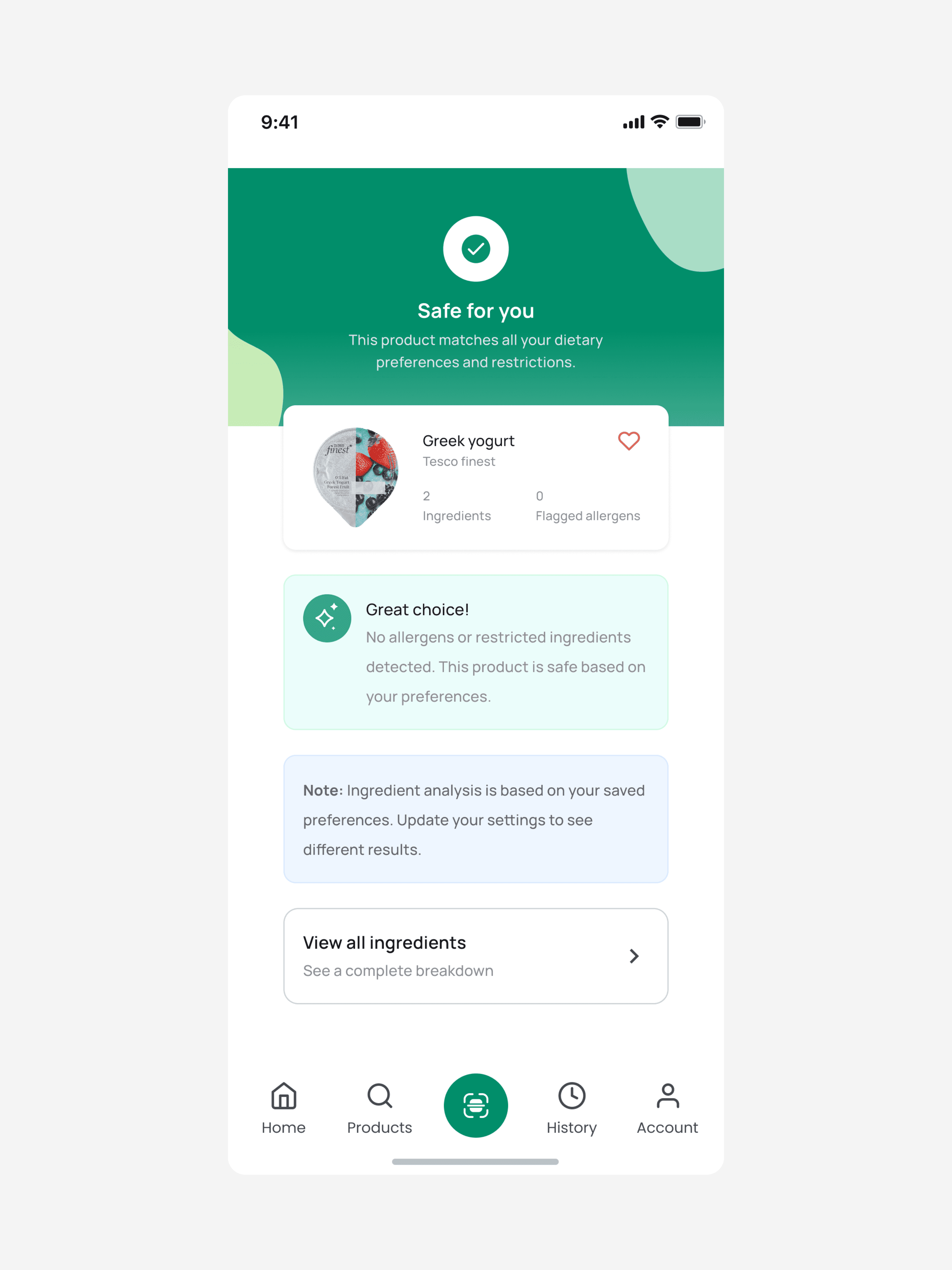
Users needed immediate clarity in result screens, leading to stronger visual hierarchy and clearer “Safe / Caution / Unsafe” labels.
Some users hesitated when interpreting ingredient lists, which resulted in simplified language and highlighted risk ingredients.
Low-vision users benefited from increased spacing, larger text defaults, and reduced on-screen clutter.
Users wanted reassurance that results were personalized, prompting clearer messaging that outcomes were based on their saved preferences.
Accessibility Validation
Accessibility checks focused on:
Color contrast and readability
Tap target sizing
Consistent layout patterns to reduce cognitive load
Logical focus order for assistive technologies
Testing confirmed that NutriGuide’s scan-first approach successfully reduced time to decision and improved user confidence. Iterative refinements based on user feedback strengthened clarity, accessibility, and trust, resulting in a calmer and more effective shopping experience.